Incident support
Tactical ventilation in your pocket, from arrival to debrief.
OpsFlow supports the incident on your phone: ventilation step by step, foam, deployed equipment and quick-reference cards. At the end, the debrief comes out as a PDF.
Phone, tablet and computer · free, no account, works offline
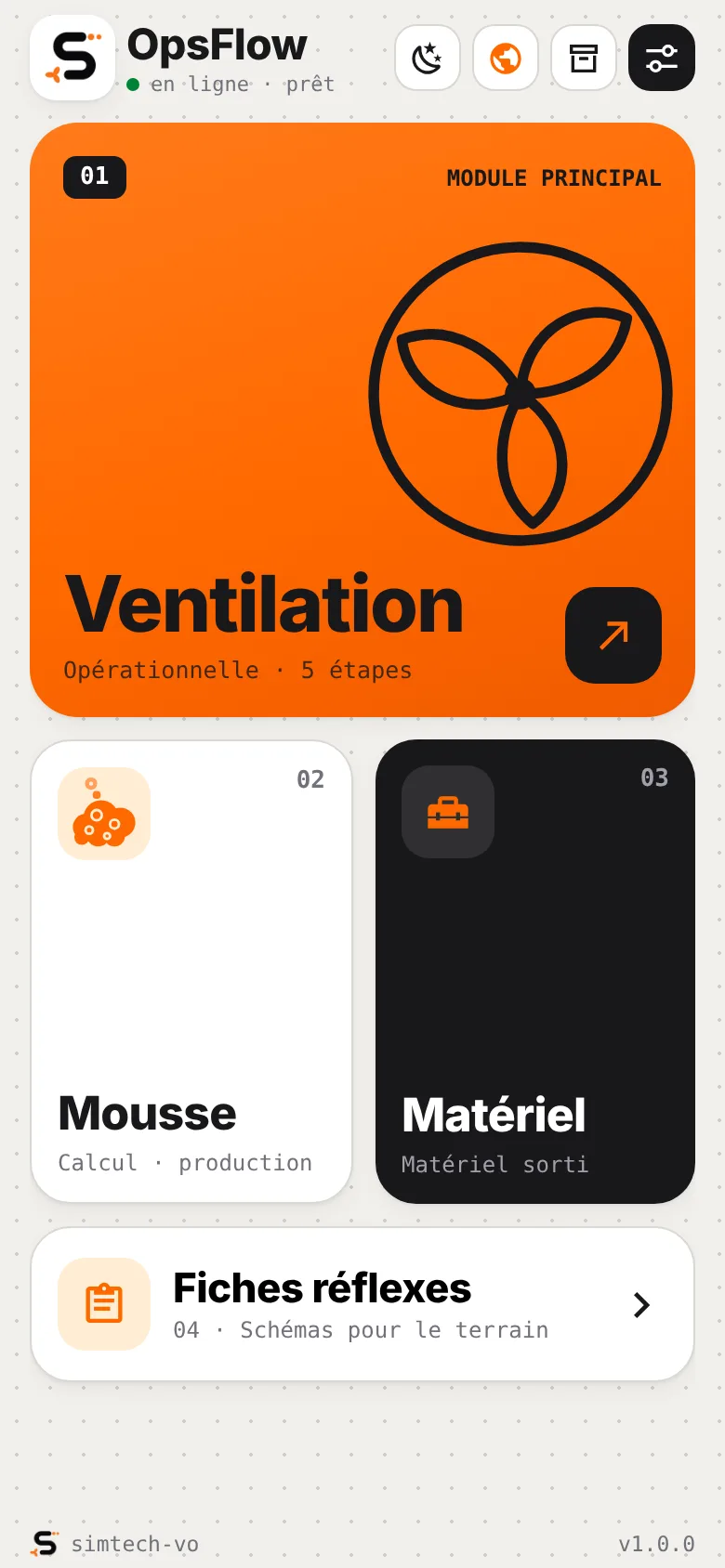
Four tools, one screen
Everything you need at hand during the incident, without digging through a binder. Screenshots of the app as it is online.
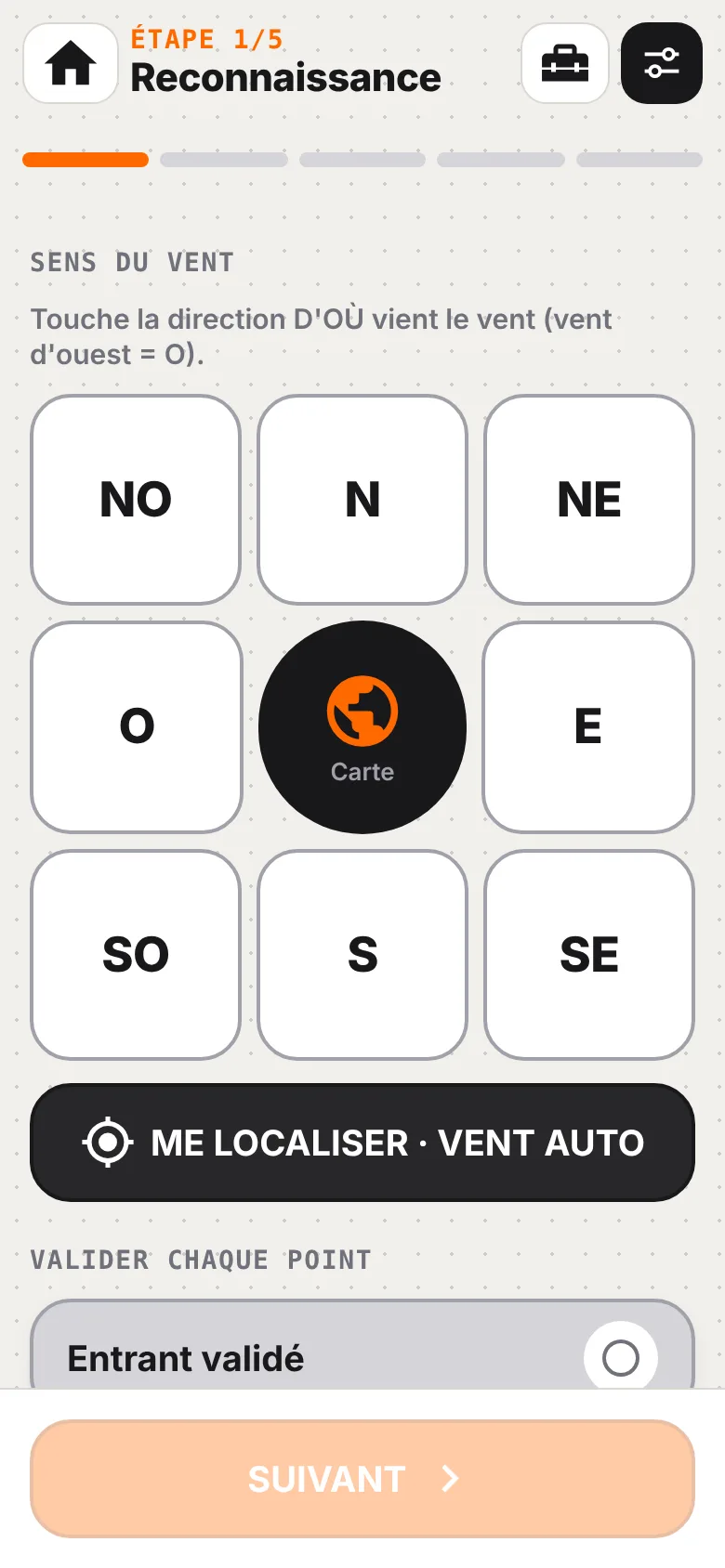
Ventilation
The operation in five steps. From size-up: wind direction, set by hand or automatically from your location, then you confirm the inlet, the exhaust and the airflow path.
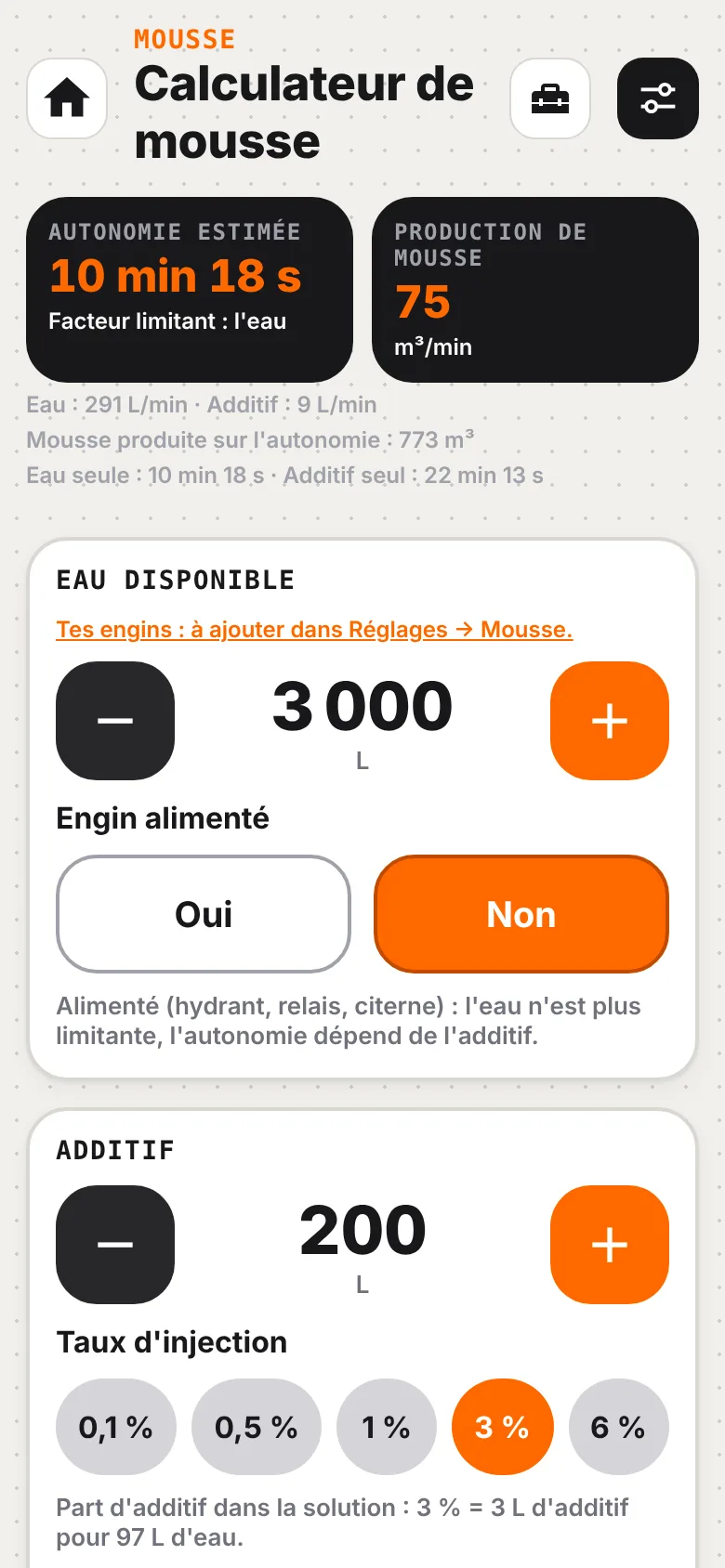
Foam
Set water, foam concentrate, injection rate, flow and expansion. The app gives foam production and endurance, and tells you what runs out first: water or concentrate.
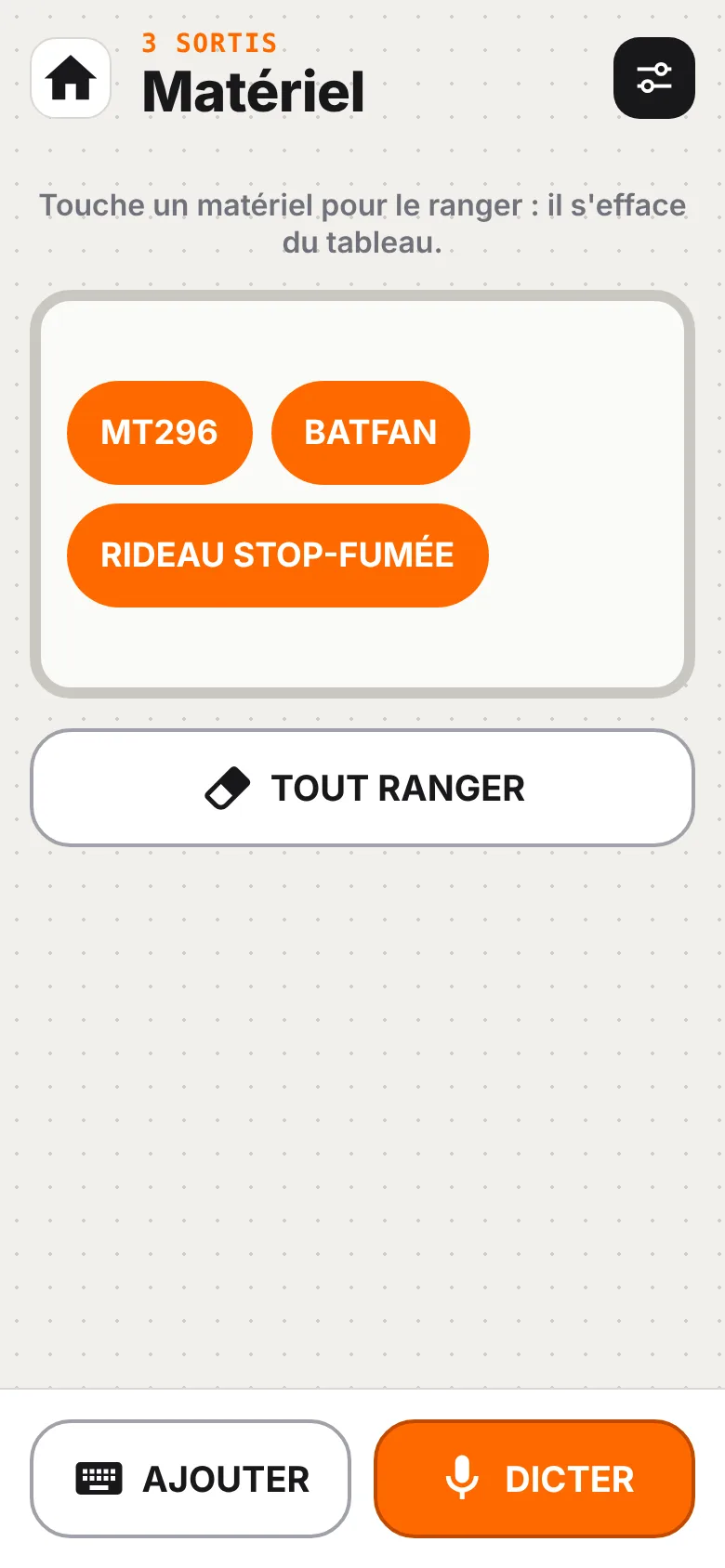
Equipment
Equipment taken out is added with one tap or by voice. Tap it to put it away: the board always shows what is deployed.
Quick-reference cards
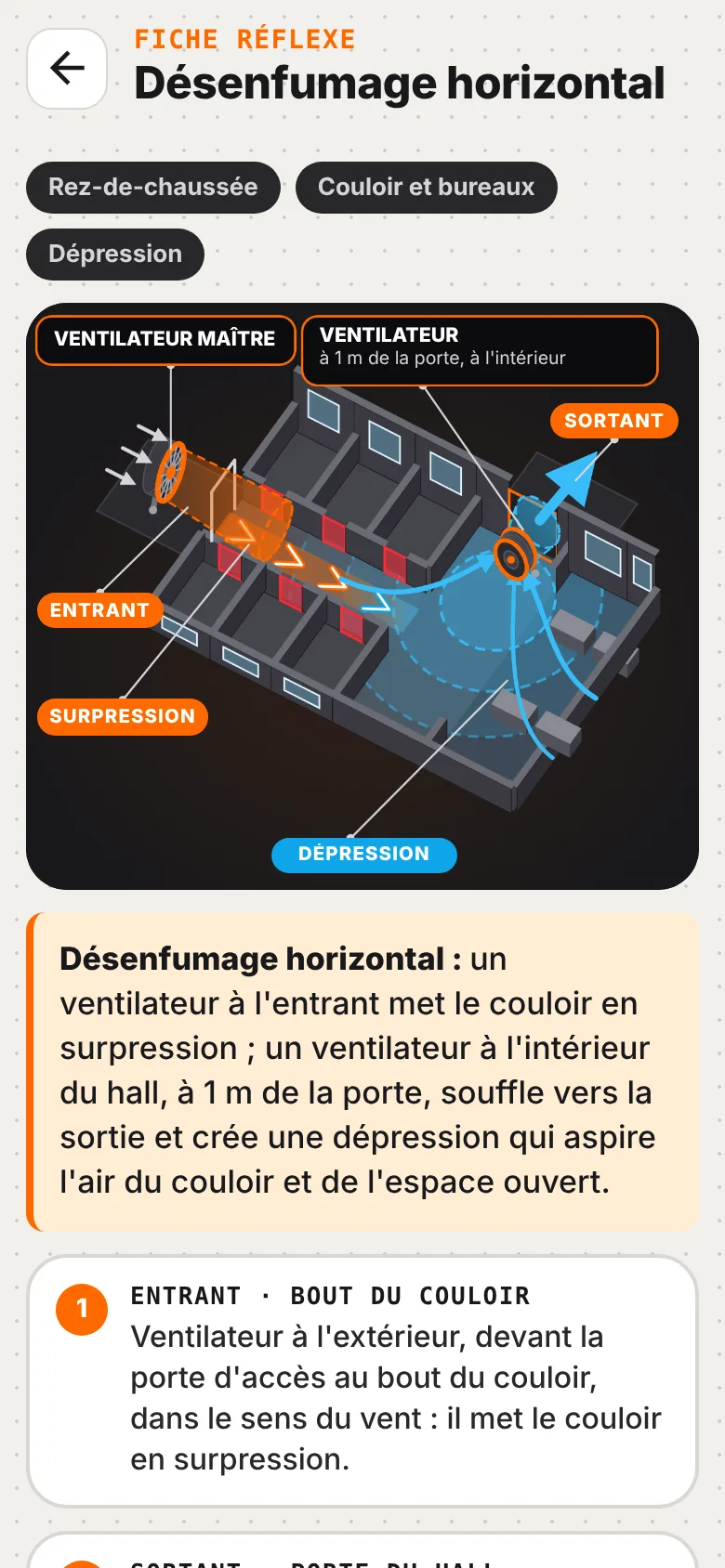
Seven diagrams for difficult layouts: vertical smoke removal, windowless room, wind on the façade, sequential ventilation, pit…
On scene, the app connects to the location
Local wind
The wind at the incident address. Wind pushes smoke: it often decides the exhaust.
Satellite map
IGN imagery to see the building, access and façades. Areas already viewed remain available offline.
Size-up photos
Taken on scene, they stay with the incident, on the phone.
Debrief as a PDF
At the end of the incident, the debrief comes out as a PDF, built on the phone, ready to share.
Built for the fireground
No network needed
Once opened, the app works even underground or out of coverage.
No account
No sign-up, no password. Open it and use it.
Your data stays with you
Settings, equipment, photos and debriefs stay on the device. Only cookieless audience measurement counts the screens opened.
Never interrupted mid-operation
An update waits for your go-ahead: it never installs in the middle of an incident.
Install it on your phone
OpsFlow is a web app: it installs from the browser, without an app store.
iPhone
- Open opsflow.simtech-vo.fr in Safari.
- Tap the Share button at the bottom of the screen.
- Choose Add to Home Screen, then Add.
Android
- Open opsflow.simtech-vo.fr in Chrome.
- Tap the ⋮ menu, then Install app (or Add to Home screen).
- Confirm: the OpsFlow icon appears on your home screen.
Part of the SimTech-VO pathway
Train
SimFlow
Practise in the classroom on the simulator.
Discover SimFlowRespond
OpsFlow
Apply it on the fireground, with the app.
Coordinate
SITAC VO
The QR code on the tactical board opens OpsFlow directly.
OpsFlow is a support tool. It does not replace your fire service's doctrine or the incident commander's judgement.
Try OpsFlow now
Open it on your phone and add it to your home screen: it will be ready for the next incident.